TIMEGLOW • VISUAL FOCUS TIMER
Focus without watching the clock.
TimeGlow is a visual focus timer that helps you stay aware of time without constantly checking a countdown. Use simple color cues, focus sequences, Glance Mode, suggested focus routines, and TimeGlow Live to keep your attention on what you’re doing—not on the timer.

Stay focused
Spend less time checking a countdown and more time working on the task in front of you.
See time at a glance
Green, yellow, and red visual stages make the passage of time easy to understand without staring at numbers.
Build your rhythm
Combine focus periods and breaks into reusable sequences that match the way you work.
WHY TIMEGLOW
A different way to stay aware of time
Traditional timers ask you to keep checking numbers. TimeGlow turns time into something you can understand at a glance, helping you stay aware of where you are without interrupting what you’re doing.
Learn more about using TimeGlow as a visual focus timer, using a focus timer without constantly watching the countdown, or displaying your focus timer on another screen.
See how TimeGlow works
Choose how you want to focus, start your session, and let color show you where you are in time.
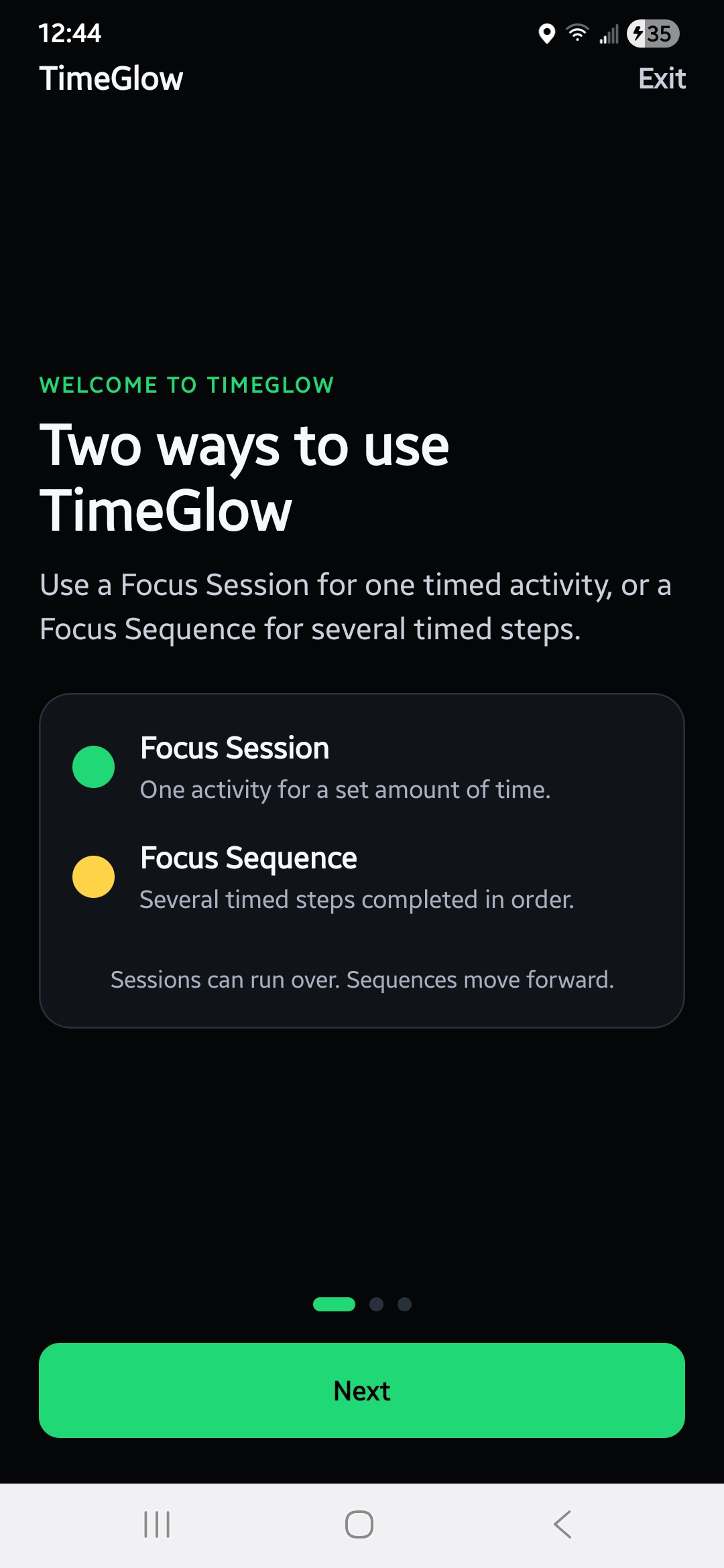
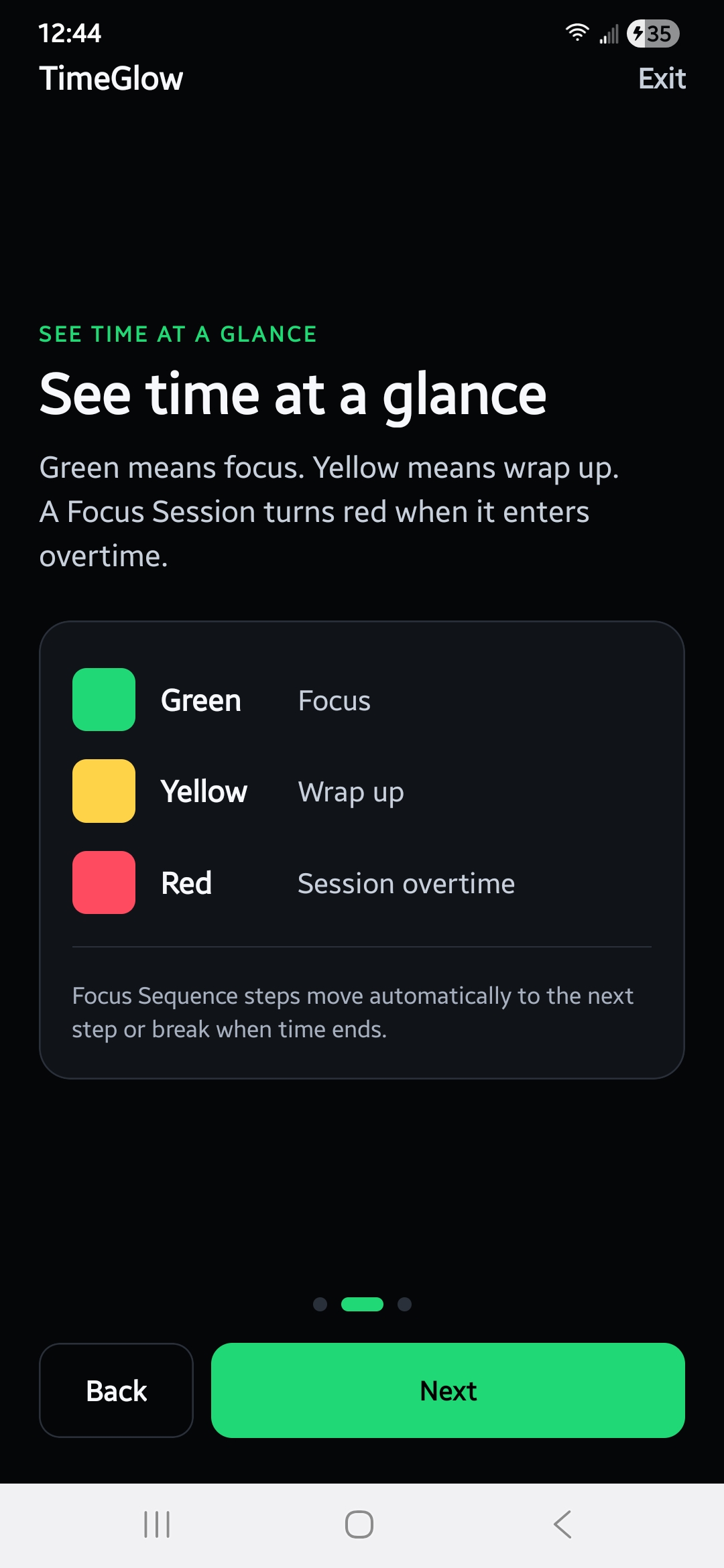
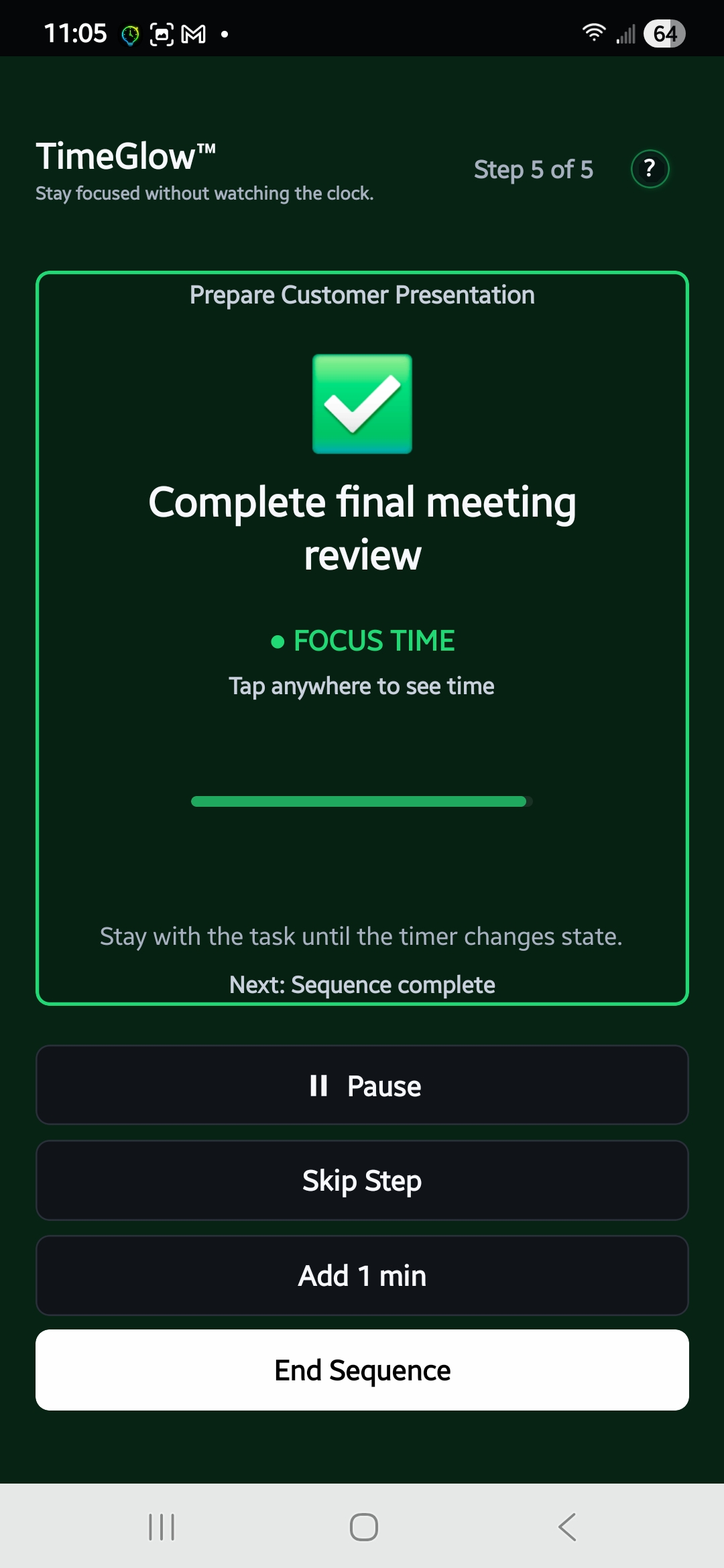
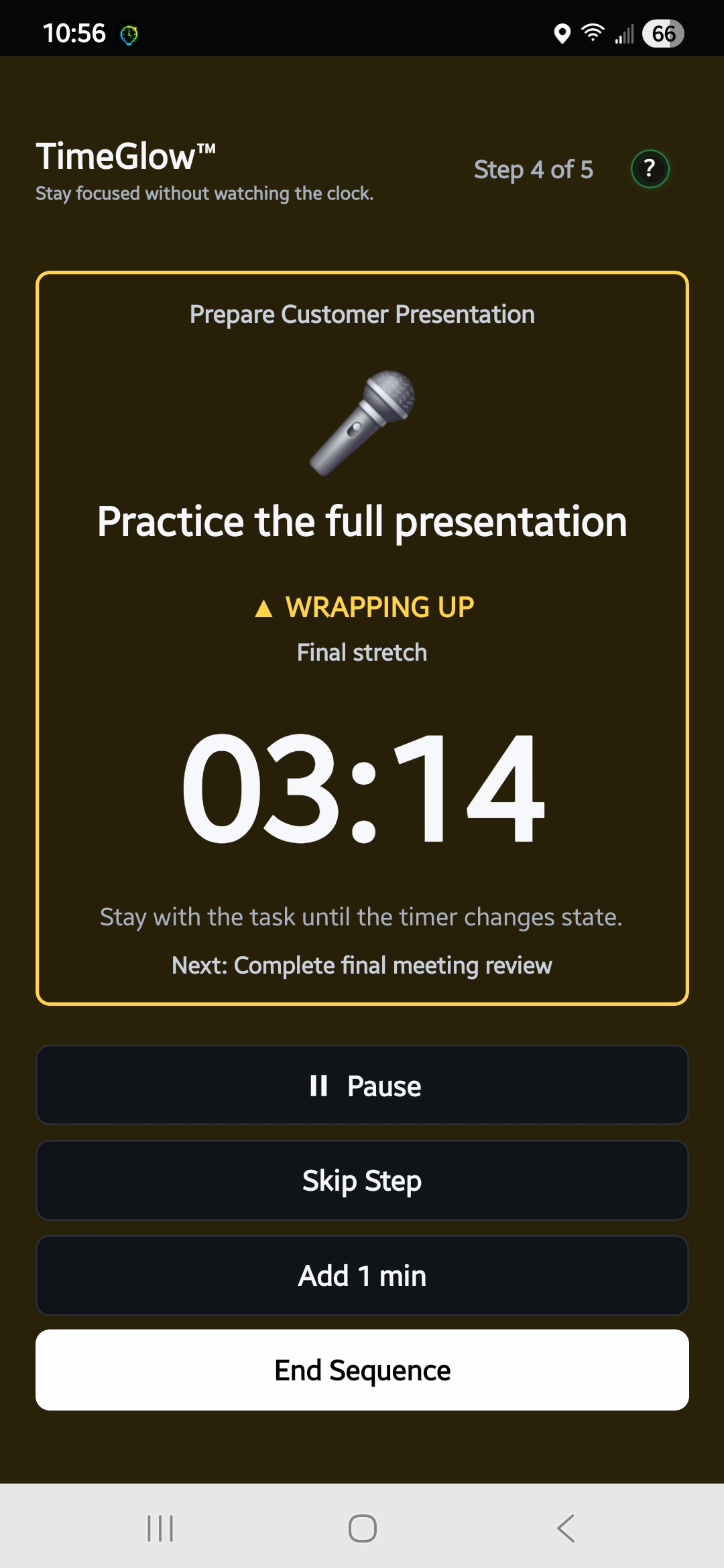
Visual Focus Sessions
Start a session and let the changing visual state show you where you are in your available time.
Glance Mode
Hide the countdown while you work. Tap when you want to briefly check the remaining time, then return to a distraction-free display.
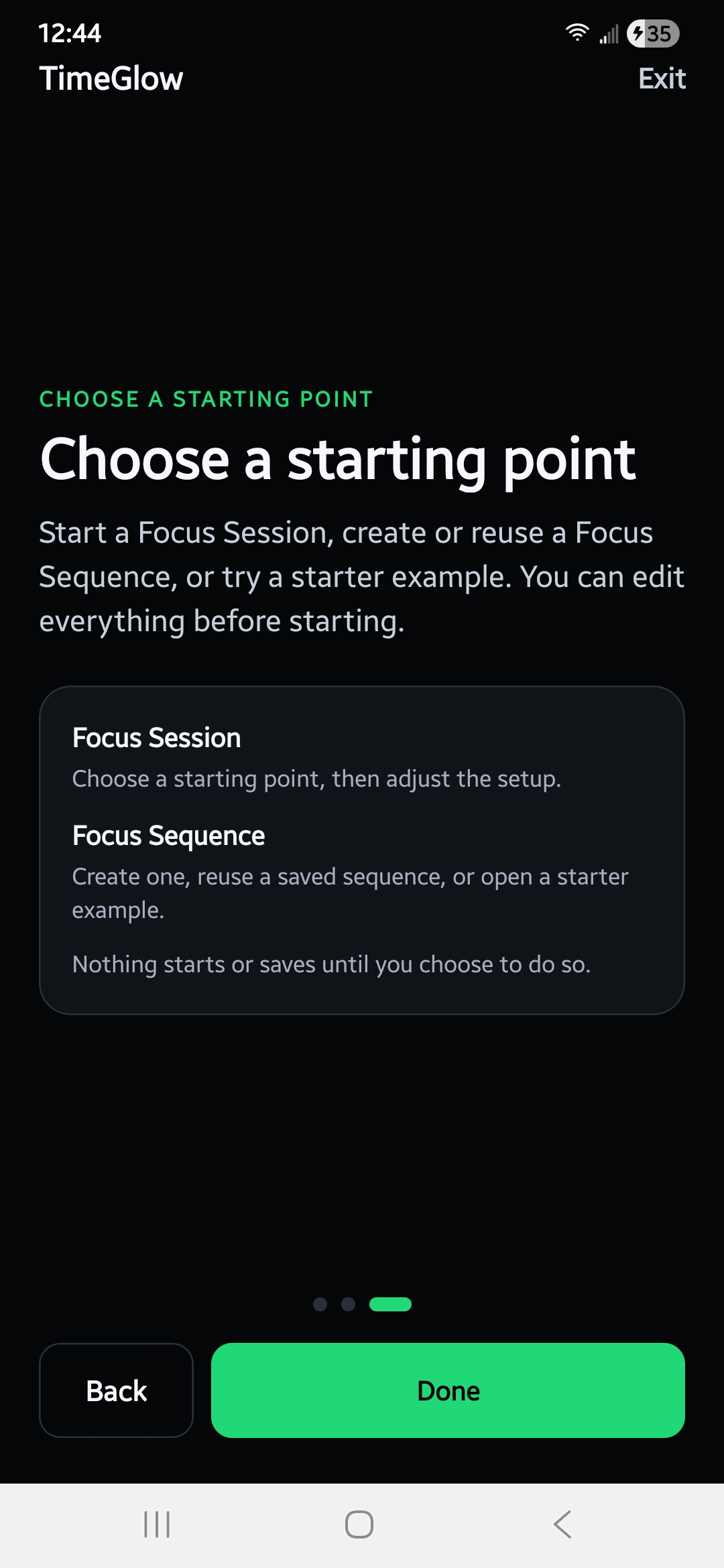
Suggested Focus Sequences
Tell TimeGlow what you need to accomplish and get a suggested focus-and-break structure to help you get started.
Focus Sequences
Build a series of focus periods and breaks instead of restarting a timer over and over.
Saved Sequences
Save the routines that work for you and quickly start them again later.
History & Progress
Review completed focus sessions and see how you’ve been spending your focused time.
TIMEGLOW LIVE
Put your focus timer on another screen
TimeGlow Live lets you display your active focus session in a web browser on another screen. Keep your phone nearby—or out of the way—while a laptop, tablet, monitor, or shared display shows the current visual timer.
- ✅ Start the session in TimeGlow
- ✅ Open TimeGlow Live using your share code
- ✅ Your browser display stays synchronized with the active session
TimeGlow works wherever focused time matters
Deep work
Stay aware of time while writing, designing, programming, researching, or working through complex tasks.
Studying
Structure study periods and breaks without constantly watching the clock.
Exercise & routines
Create timed sequences for activities that work better as a series rather than a single countdown.
Work sessions
Use TimeGlow Live to keep the current session visible on a laptop, monitor, or second display.
TIMEGLOW PRO
Start free. Upgrade when you want more.
TimeGlow includes the core visual focus experience for free. TimeGlow Pro removes ads and unlocks additional features.
Free
$0
- ✅ Visual focus sessions
- ✅ Focus sequences
- ✅ Glance Mode
- ✅ 4 free sequence suggestions
- ✅ TimeGlow Live
TimeGlow Pro
Monthly
$0.99 / month
- 🚫 Removes ads
- ✅ Expanded history
- ✅ Expanded AI sequence suggestions
- ✅ Additional personalization features
Annual
$7.99 / year
Best value for regular TimeGlow users.
- 🚫 Removes ads
- ✅ Expanded history
- ✅ Expanded AI sequence suggestions
- ✅ Additional personalization features
Frequently asked questions
What is TimeGlow?
TimeGlow is a visual focus timer for iPhone and Android that uses changing visual cues to help you stay aware of time without continually checking a countdown.
How is TimeGlow different from a Pomodoro timer?
TimeGlow can be used for Pomodoro-style work and break sessions, but it is built around visual awareness of time rather than requiring you to continuously watch a numerical countdown. You can also create custom focus sequences instead of using a fixed work-and-break cycle.
Can I hide the countdown timer?
Yes. Glance Mode lets you keep the numerical countdown out of view and briefly reveal it when you want to check the exact remaining time.
Can I show TimeGlow on another screen?
Yes. TimeGlow Live lets you display an active focus session in a web browser on another device or display.
Can TimeGlow help me build a focus routine?
Yes. Tell TimeGlow what you want to accomplish and it can suggest a focus sequence with timed steps and breaks to help you get started.
Is TimeGlow available on iPhone and Android?
Yes. TimeGlow is available for both iOS and Android.
Spend less time watching the timer. Spend more time focused.
Try TimeGlow and turn your available time into something you can understand at a glance.