TIMEGLOW • VISUAL FOCUS TIMER
A visual focus timer that helps you feel time at a glance
TimeGlow replaces constant clock-checking with simple visual stages so you can stay aware of time while keeping your attention on the work in front of you.
Why use a visual focus timer?
A traditional countdown gives you an exact number. A visual timer gives you context without demanding your attention.
Stay in the task
You do not need to repeatedly read a countdown to know whether you are early, midway through, or nearing the end.
Use color as a cue
TimeGlow shifts through green, yellow, and red stages so the passage of time is easy to understand from a glance.
Check exact time only when needed
Glance Mode keeps the number out of the way until you choose to reveal it.
See the visual focus timer in action
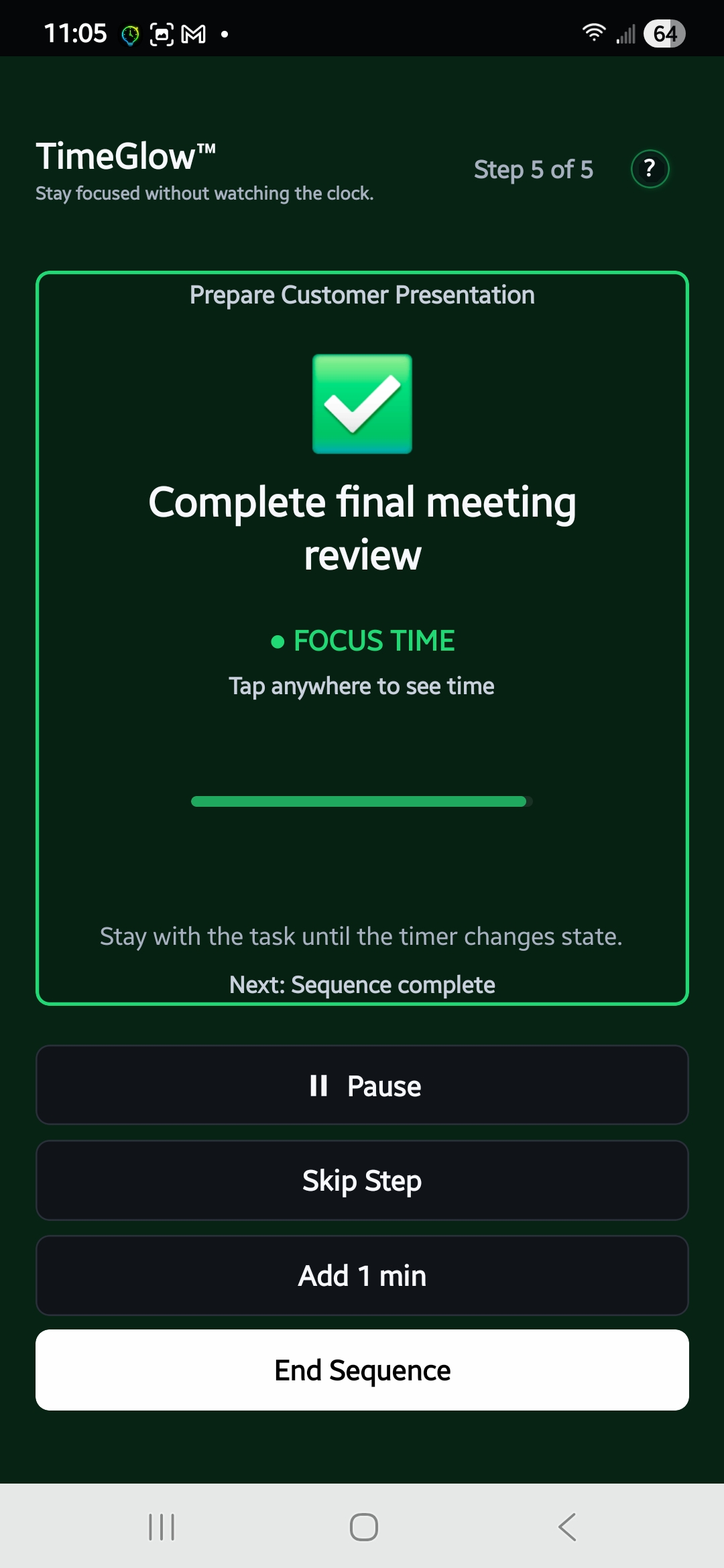
TimeGlow uses color as a background signal: green means focus, yellow means start wrapping up, and red shows that a Focus Session has moved into overtime. You can still check the exact time when you want it, but the visual state is designed to carry most of the awareness.
Useful for focused work, study, and routines
TimeGlow works well anywhere you want awareness of time without making the timer the center of attention.
Deep work
Write, design, code, research, or work through complex tasks while keeping a quiet sense of how much time remains.
Studying
Use focus periods and breaks without turning your study session into repeated clock-checking.
Timed routines
Create sequences for exercise, practice, chores, or other activities that work better as a series of timed steps.
A visual timer without a fixed work formula
TimeGlow can support a Pomodoro-style routine, but it does not require a fixed 25-minute work period or any other preset formula. You choose the amount of time that fits the task. For a single activity, start a Focus Session. For longer work that benefits from structure, create a Focus Sequence with multiple timed steps and breaks.
The goal is not to make the timer more noticeable. It is to make time easier to understand while you continue working. If you prefer fewer numbers on screen, Glance Mode can keep the countdown out of view until you intentionally check it. If you want the visual state on a larger display, TimeGlow Live can put the focus timer on another screen.
If the visible countdown itself is distracting, see how to use a focus timer without constantly watching the countdown. Or return to the TimeGlow overview for Focus Sequences, Glance Mode, pricing, and mobile download links.
Focus without watching the clock.
Try TimeGlow on iPhone or Android and make time easier to understand at a glance.